Motorcycle Wireless CarPlay Screen: GPS, Music & Calls at Your Fingertips
Motorcycle Wireless CarPlay Screen: GPS, Music & Calls at Your Fingertips
A phone clamped to the bars is a compromise: sun glare, dead battery, and a screen you cannot read at speed. A dedicated RoadPupil wireless CarPlay screen puts GPS, music, and calls on a glove-friendly display that stays charged and readable. Here is what a motorcycle wireless CarPlay screen actually does on the road, and how to choose one that earns its place on your bars.

What a Wireless CarPlay Screen Really Gives You
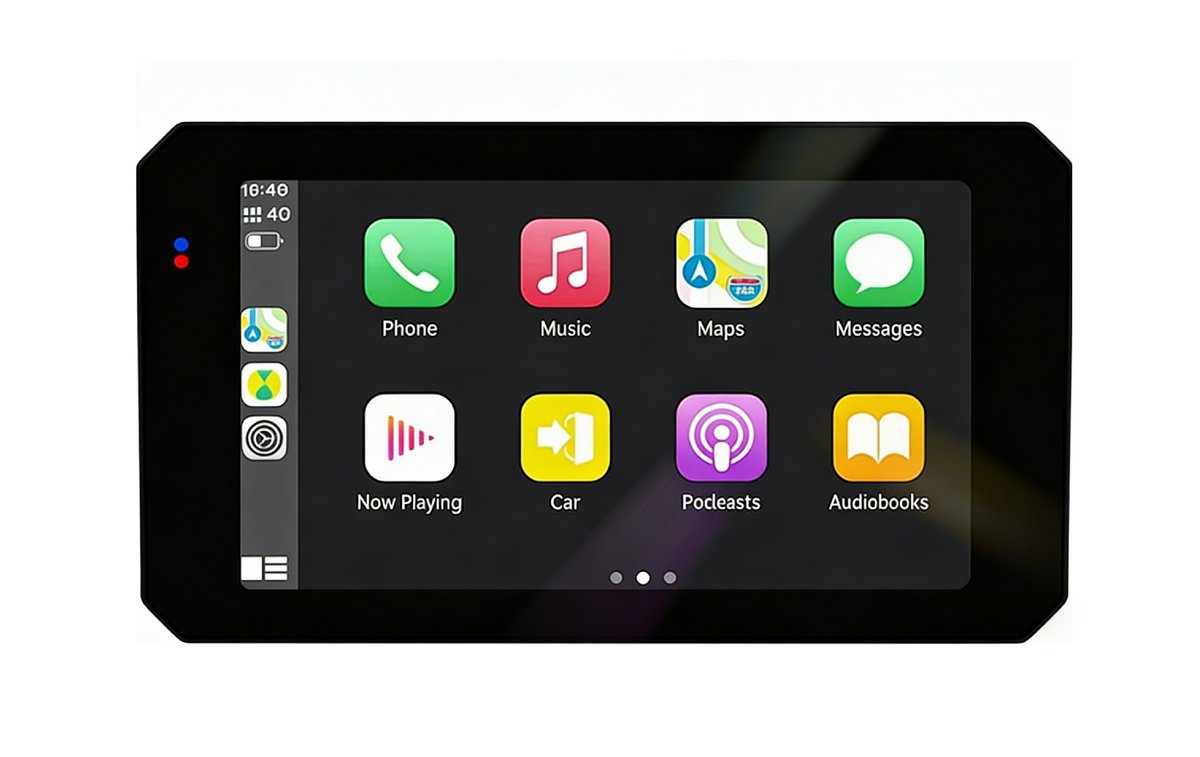
CarPlay mirrors your phone's essentials onto a larger, brighter screen: turn-by-turn GPS, your music and podcasts, and hands-free calls. You keep your eyes up and your phone tucked away, charging, instead of flapping in a clamp.
On the RoadPupil S6 the connection is wireless, so there is no cable to snap at the first hard bump. Pair once and the screen wakes your apps the moment you start the bike, which is the difference between a tool you use and a gadget you forget.
Readability in Sun and Glove
A screen you cannot read at noon is worthless. Look for high brightness and an anti-glare surface; the RoadPupil S6 and R9 Pro hold up in direct sun where a phone dims to useless.
Glove-friendly touch matters more than specs. Test menus with winter gloves on, because a display that needs a bare fingertip fails the moment the temperature drops.
Power: Keep It Charged, Not Drained
- Hardwire to the battery or accessory circuit so the screen runs all day without killing the bike.
- Watch total draw if you also run a dash cam and heated gear on one circuit.
- Use a fused tap, never a raw splice, to protect the bike's electronics.
- Prefer a screen with its own power management over one that steals from the phone.
Mounting for a Steady View
A vibrating mount blurs the map and loosens over time. Use the supplied isolated bracket and torque it to spec so the screen stays put through rough pavement.
Position it inside your natural line of sight, low enough to glance without dropping your head, and clear of clutch and brake levers. A good mount is invisible; a bad one fights you every ride.

CarPlay vs a Dash Cam Screen
They solve different problems. A CarPlay screen is for navigation, media, and calls; a dash cam screen is for recording evidence. Riders often run both, with the RoadPupil R9 Pro pairing CarPlay and recording in one bar-mounted unit.
If you must pick one, start with what you use daily. Commuters who navigate by GPS get more from a RoadPupil S6 than a camera they rarely review.
Make It a Habit, Not a Hassle
Update maps and firmware at home on Wi-Fi so the screen is current before a trip, not mid-route. A five-minute monthly check keeps it trustworthy.
Treat the RoadPupil CarPlay screen like your phone's co-pilot: paired, charged, and out of the weather when parked. The day you need a detour or a hands-free call, it is already ready.
Frequently Asked Questions
Q: Does RoadPupil make a wireless CarPlay screen for motorcycles?
Yes. The RoadPupil S6 is a wireless CarPlay standalone touchscreen built for bar mounting, and the R9 Pro pairs CarPlay with a 4K recording dash cam in one unit.
Q: Will a CarPlay screen drain my motorcycle battery?
Only if poorly wired. Hardwire it on a fused accessory circuit with proper power management, and it runs all day; avoid cheap taps that pull straight from the battery.
Q: Can I read a CarPlay screen in sunlight?
On a bright model like the RoadPupil S6 or R9 Pro, yes. Choose high brightness with an anti-glare surface and test it at noon before you rely on it.
Related RoadPupil Guides
- Best Motorcycle Carplay Screen For Touring 2026
- How To Install A Motorcycle Carplay Screen S6 Step By Step
- Motorcycle Carplay Glove Friendly Touchscreen Guide
- R9 Pro Carplay Dash Cam Flagship Screen For Long Rides
Key Takeaways for Motorcycle Wireless Carplay Screen
If you remember nothing else about motorcycle wireless carplay screen, remember this: the best camera is the one that is charged, mounted securely, and actually recording when something happens. All the resolution in the world is worthless if the lens is fogged or the card is full. Build a 60-second pre-ride habit around the S6, R9 Pro, R7 gear you own, and the footage will be there the day you need it.
Start with power. A supercapacitor model shrugs off summer heat that would swell a lithium battery, while a proper hardwire kit unlocks parking-mode protection without draining your bike's battery on a long stay. Then lock in storage: a U3 microSD card of the right size, formatted monthly, prevents the silent corruption that turns a crucial clip into garbage. Finally, pair the camera with the RoadPupil app at home so Wi-Fi and firmware are sorted before you ever leave the garage.
Treat motorcycle wireless carplay screen as routine maintenance, not a one-time setup. Riders who review a clip every few weeks notice failing mounts, drifting aim, or weak audio long before those small issues cost them evidence. The goal is not a perfect rig — it is a reliable one that captures the moment without you thinking about it.