Riding Smarter with Wireless CarPlay and a Wide-Angle Motorcycle Camera — My RoadPupil Setup
Hey riders — I’m Mia from RoadPupil.
If you ride regularly, you’ve probably dealt with at least one of these:
tangled cables, phone mounts that shake at speed, or stopping mid-ride just to check navigation.
I’ve been testing a cleaner setup lately — a wireless CarPlay screen paired with a wide-angle motorcycle camera — and honestly, it changed how relaxed my rides feel.
This post isn’t a spec list. It’s just how this setup works in real riding.

Why Wireless CarPlay + a Wide-Angle Camera Actually Makes Sense on a Motorcycle
Wireless CarPlay isn’t about adding more tech — it’s about removing friction.
More and more riders are quietly switching to wireless CarPlay for motorcycle setups because once you experience auto-connecting navigation and a cable-free cockpit, it’s hard to go back.
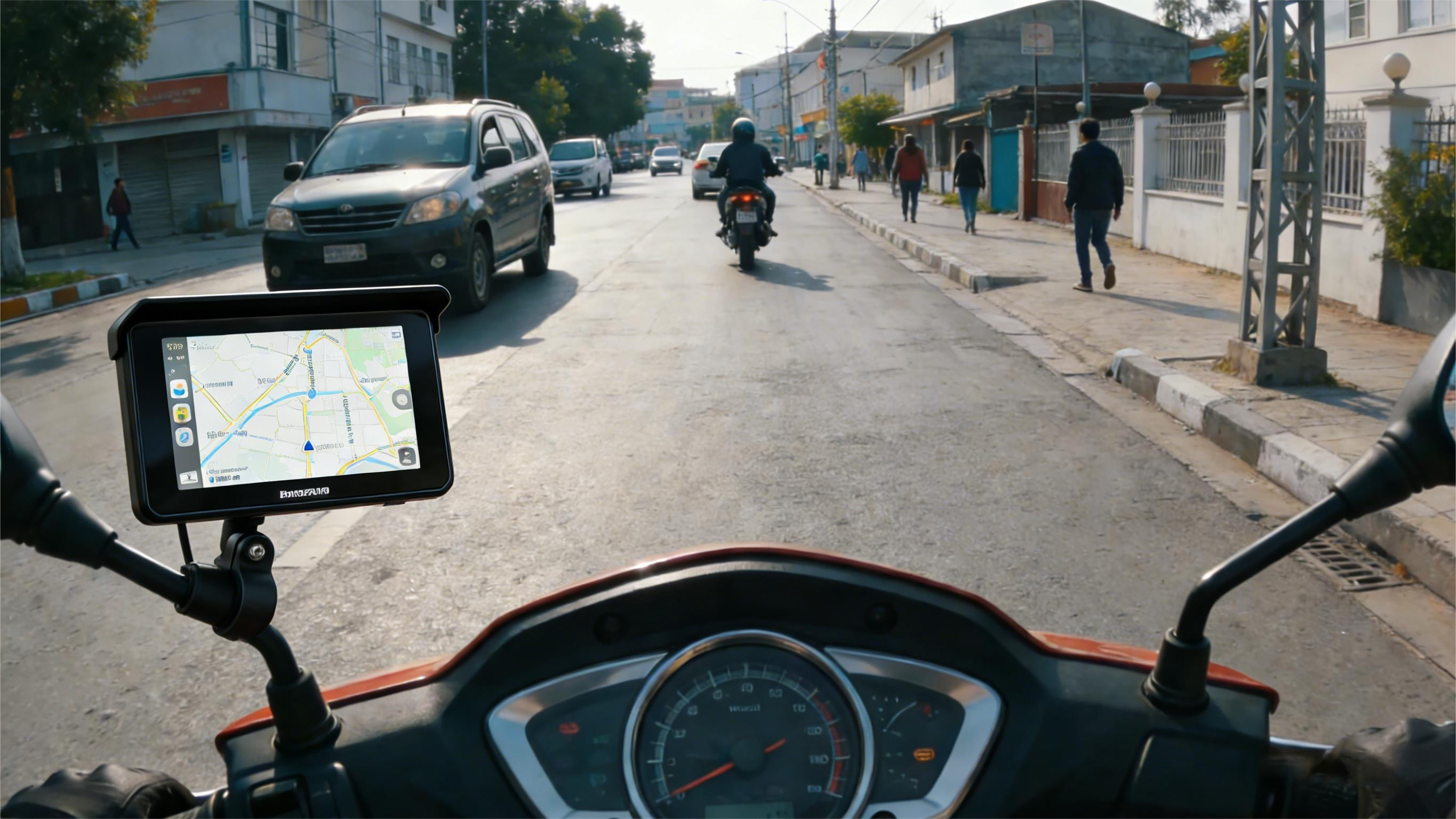
Once your iPhone connects automatically, navigation, music, and calls just… work. No cables. No mounting your phone every ride.

Adding a wide-angle motorcycle camera (140°) completes the picture. It quietly records what happens around you — useful for safety, insurance, or just reviewing a great ride later.
Together, this setup keeps your eyes forward and your cockpit clean.

About Us — The RoadPupil Story
RoadPupil is built by riders, not marketers.
With nearly 20 years in motorcycle electronics manufacturing, we focus on one thing: gear that actually works on the road — not just on paper.
What Comes in the Box (and What You’ll Actually Use)

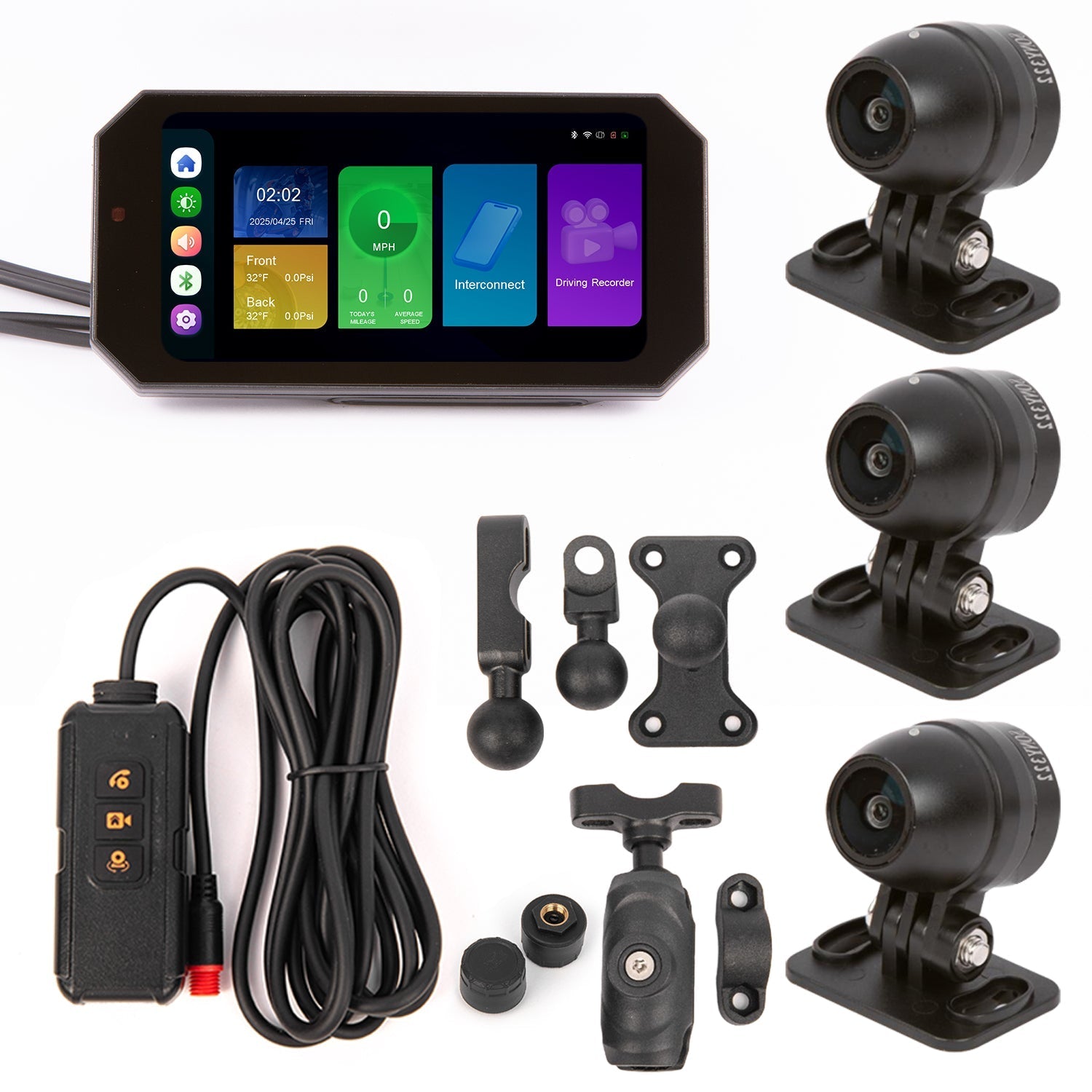
Inside the box, you’ll find everything needed for a clean install:
-
Wireless CarPlay adapter (plug & play)
-
7” HD wireless CarPlay screen
-
Front & rear wide-angle motorcycle cameras (140°)
-
Mounting brackets and cables
-
Installation guide
Unboxing & Accessory Showcase
Unboxing felt straightforward — no unnecessary fluff.
The CarPlay adapter is small but mighty, super easy to connect.
The screen is bright enough for daylight riding and weatherproof.
And the cameras are small, solid, and don’t scream “aftermarket” once mounted.
Installation: Easier Than Most Riders Expect
Installation is refreshingly simple.
The wireless CarPlay adapter plugs in, the screen mounts where your eyes naturally go, and the cameras tuck neatly out of the way.
If you’ve never installed a motorcycle camera before, this guide on motorcycle dash cams breaks down what really matters — without drowning you in specs.
Real Rider Review — My Experience
After a few weeks of riding with this setup, the biggest change wasn’t the tech — it was my mindset.

I stopped worrying about phone mounts, cables, or whether my ride was being recorded properly. Navigation felt calmer. Calls were less distracting.
And knowing the wide-angle camera was quietly running in the background added a layer of confidence I didn’t expect.
If you’re curious about simplifying your motorcycle setup — not adding more clutter — this kind of system is worth a look.
Explore the full RoadPupil motorcycle tech collection and simplify your ride today:
👉 RoadPupil motorcycle tech collection
Keep Riding Smarter

Written by roadpupil